Formulus is the free forms component for Joomla 6: accessible forms, protected from robots, and a newsletter that sends your articles to your subscribers.
Free component for Joomla 6
Accessible forms, and a newsletter
A model, a few fields, and it is live. Every response arrives by email and is filed. And since October, your articles go out to your subscribers on their own.
Eight ready-made models
Contact, quote, registration, call back, application, booking, survey, newsletter.
A built-in newsletter
No extra extension, no outside service: the email is the article.
Accessible by design
Errors explained and linked to their field, 44 px targets, messages read by screen readers.
New
The newsletter: you publish an article, your subscribers receive it
No campaign editor, no layout to build. An article published in a watched category goes to the people subscribed to that topic, with its title, introduction, image and a button to read it.
- Sign up: a Formulus form, in a module or an article, where everyone picks their topics.
- Confirm: nobody is subscribed without clicking in the email they received, and the date proves their consent.
- Publish: sending goes out in small batches, through the Joomla scheduler.
- Follow: sent, pending, failed, and a test to you alone before anyone else.
Invite your accounts
Your customers or members already have an account? They receive an invitation, and one click on Yes, subscribe me is enough.
Multilingual
Each subscriber receives the articles in their language, and their emails in their language.
One-click unsubscribe
In every email, with no account and no password.
And still, well-made forms
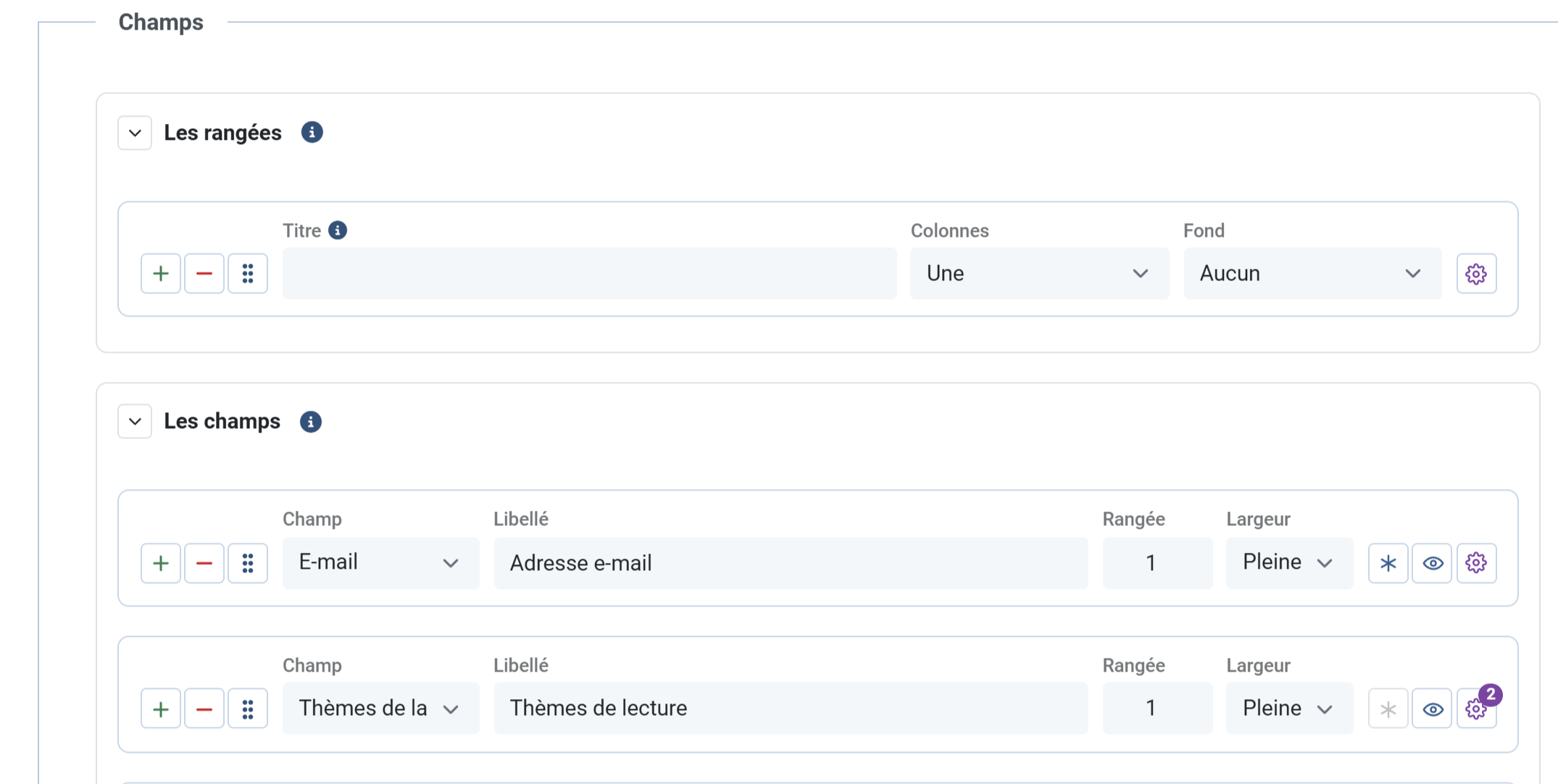
Rows and fields
Joomla's own fields, seventeen types included. Rows, widths and the gear: if you know Opus, you know Formulus.
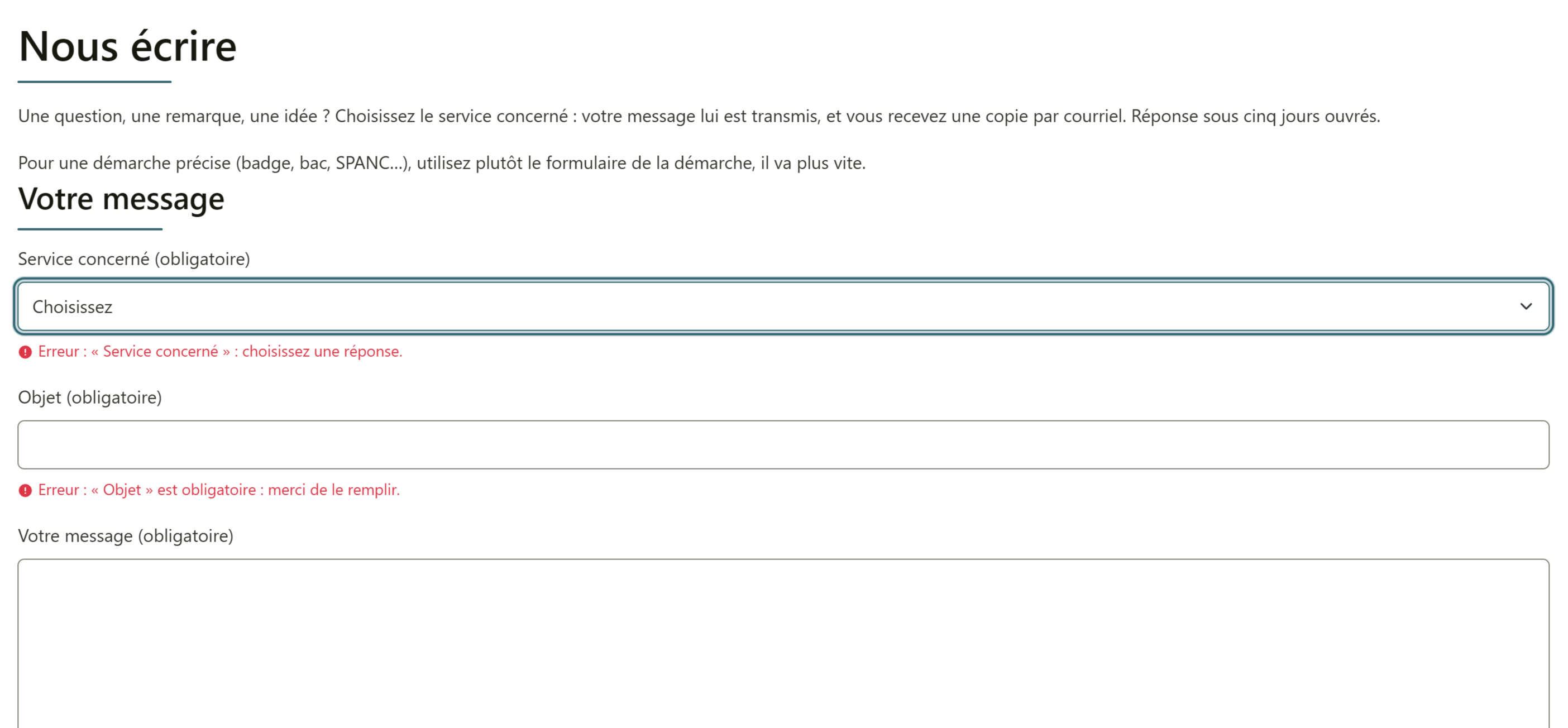
Errors that say what to fix
Each error is written under its field and linked to it, and what the visitor typed is kept, attached file included.
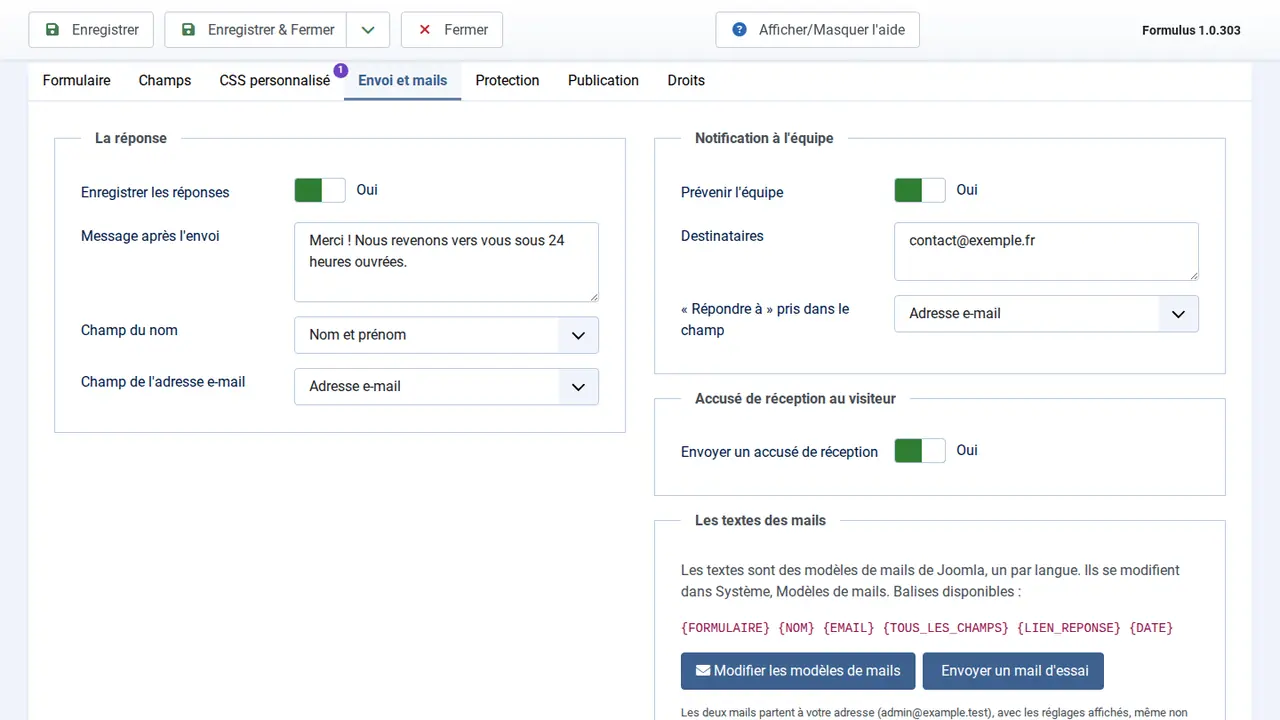
Notification and acknowledgement
Written in Joomla's mail templates, one version per language, with a test email before going live.
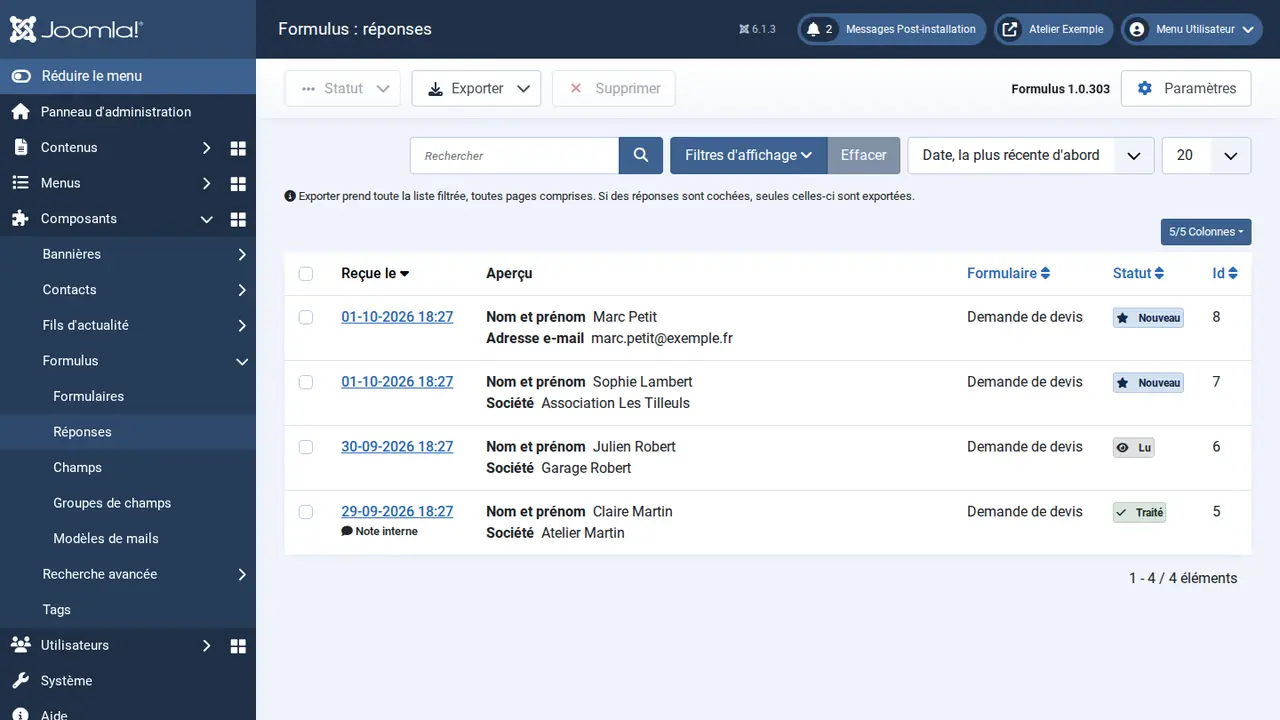
Filed, sorted, exported
New, Read, Done status, internal note, Excel or CSV export, and automatic deletion for the GDPR.
Your CSS, safely
The form's stylesheet and, next to it, the classes it really writes. A rule that no longer targets anything is flagged.
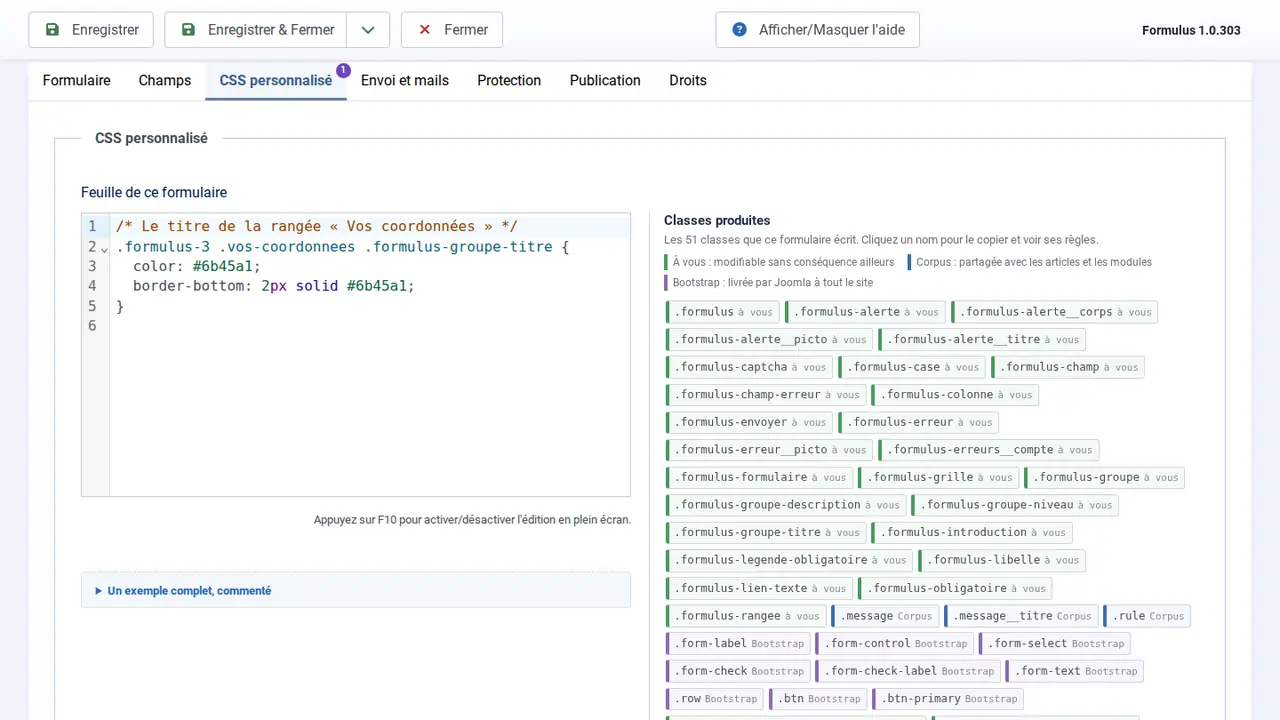
Wherever you want on the site
Through a menu item
Visible in a menu, or hidden to lead there from a button.
In a module or an article
The Formulus module places the same form in any position.
Edited from the site
Logged in, a pencil opens the form so you can fix it without going through the administration.
Before you install
Yes, newsletter included, with no limit on the number of sites. A joomanji.eu account is needed to download it.
A honeypot, a minimum delay and Joomla 6's CAPTCHA: no image to decipher, no outside service, no cookie.
Size, format and real content are checked, then stored under a random name out of public reach.
Joomla 6.2 and PHP 8.3. A component, a module and plugins, under the GNU GPL. English, French, German and Spanish.
In the Formulus manual, and through the joomanji.eu contact form, on working days.
Formulus wears Corpus's clothes
Under Corpus, the accessible Joomla template from Joomanji, your forms and your emails take its design and its hue, without a line of CSS.