Opus is the free layout module for Joomla 6: twenty-six ready-made layouts, a map, a calendar, the weather and tables, without a line of code.
Free module for Joomla 6
Joomla pages built without a line of code
Pick a layout, replace the sample text, publish. Map, calendar, weather, table: everything sits in the same screen, and your template dresses the result.
- 26
- ready-made layouts
- 23
- elements, from heading to weather
- 1
- single stylesheet for the visitor
- 0
- script sent to a third party
New in October
What other sites need four extensions for
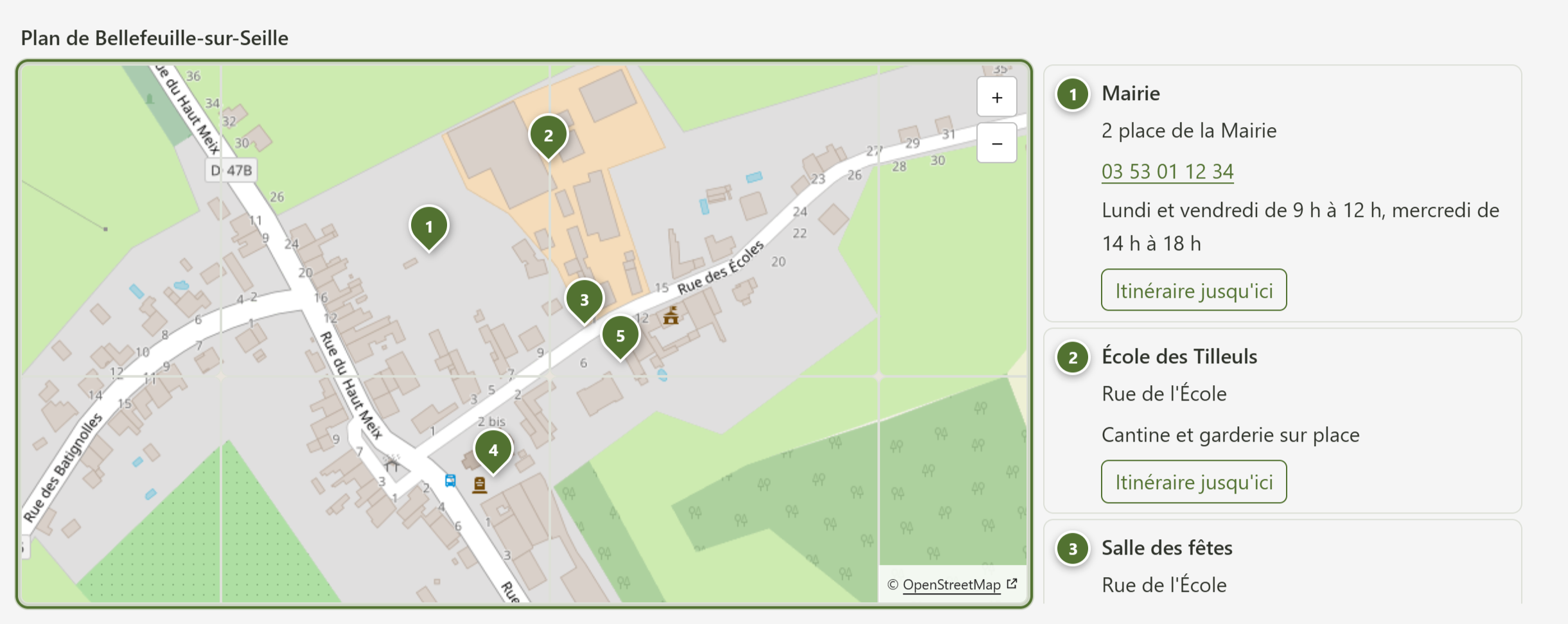
OpenStreetMap map
- No key, no Google account.
- Places typed by hand or taken from the articles of a category.
- Directions on foot, by bike or by car, and a service area in kilometres or in driving time.
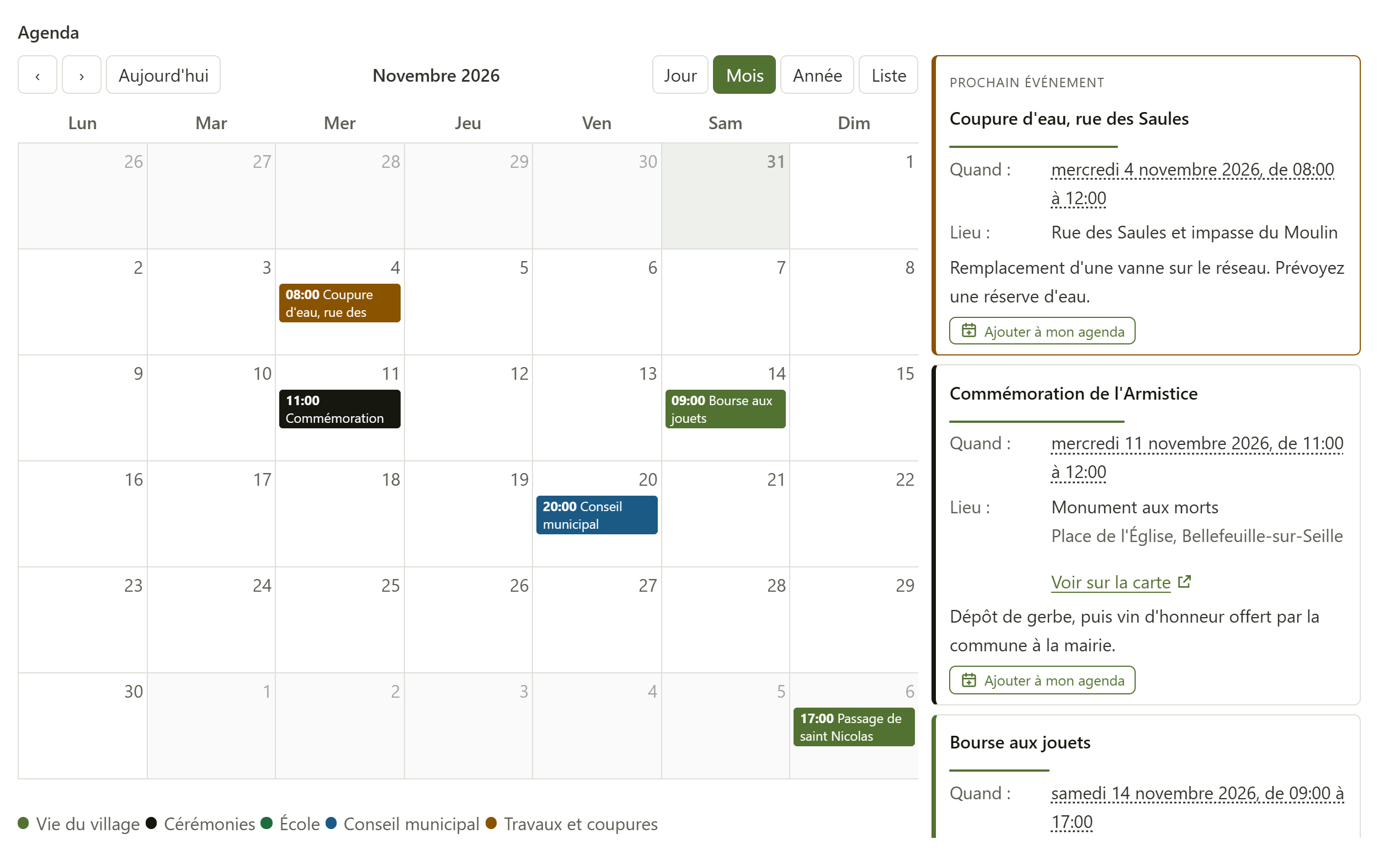
Calendar
- Events typed in, taken from articles, or read from an .ics feed (Google, Nextcloud).
- Day, month, year and list views, plus a mini calendar.
- An Add to my calendar button, and events described for Google.
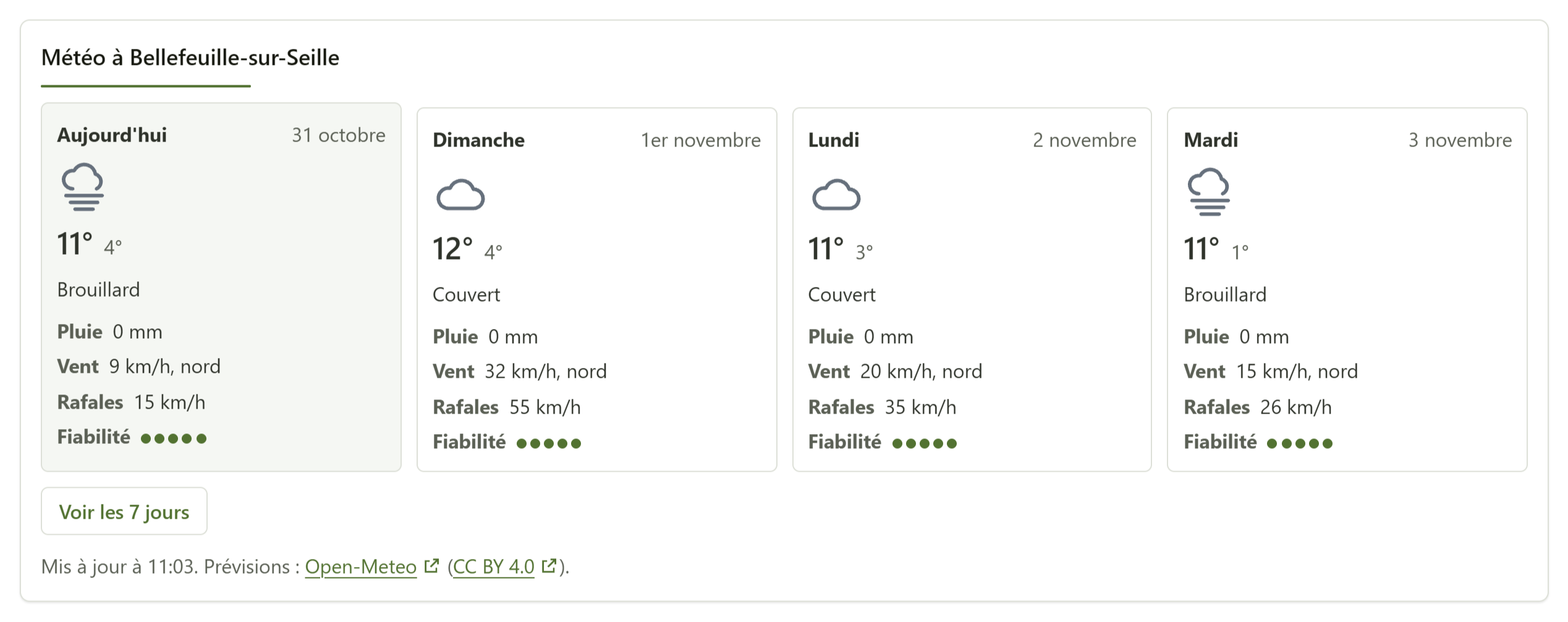
Your town's weather
- Sky, temperatures, rain, wind and gusts over several days.
- Open-Meteo, Météo-France or MET Norway, your choice.
- A warning banner for the French department with a free Météo-France key.
- The site reads the forecast: nothing leaves the visitor's browser.
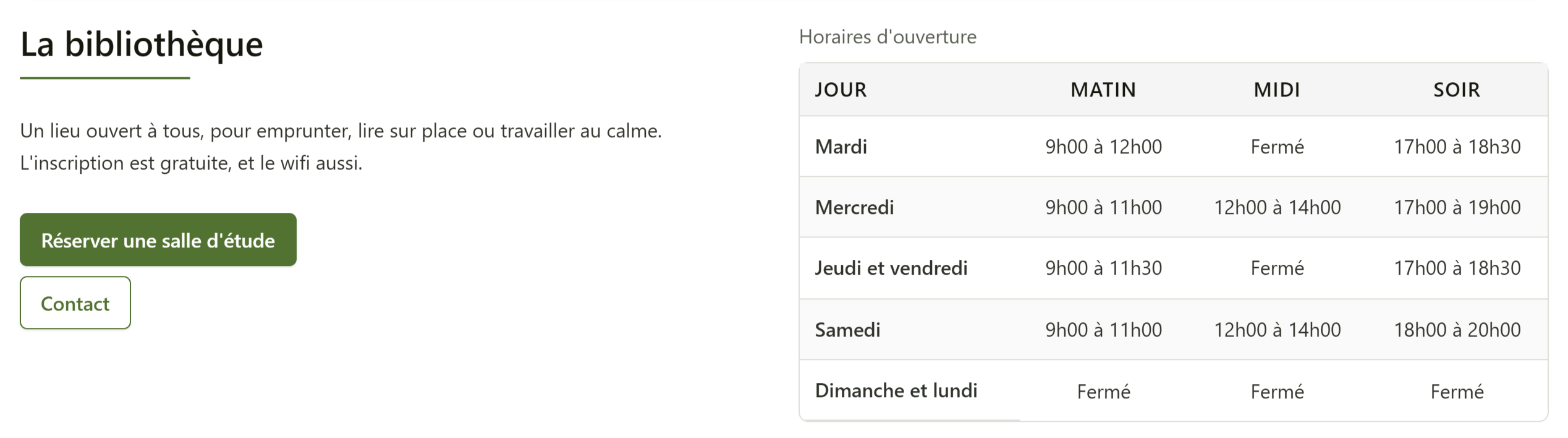
Table
- Paste a range from Excel or LibreOffice: the grid grows on its own.
- A real table, with caption and headers.
- On a phone, it turns into readable cards.
A page in three steps
1. Choose
One click on a layout: rows and blocks arrive, filled with sample text.
2. Fill in
Each block carries a stack of elements: the handle reorders them, the + adds one.
3. Publish
Publish the module in a position, or load it inside an article.
Edit from the site
Logged in with the right to edit modules, you see a pencil on every Opus block, even one loaded inside an article. It opens the full Opus screen in a large window, under Corpus as under Cassiopeia.
Choices, not style
Opus records choices, and your template dresses them. Change your colours once: every page follows.
Light and accessible
A single stylesheet for the visitor, Joomla's own scripts for the carousel and tabs, an administration you can use with the keyboard.
Any template
Cassiopeia or any Bootstrap template. Under Corpus, Opus takes its design and its hue directly.
Before you install
Yes, with no limit on the number of sites. A joomanji.eu account is needed to download it.
Joomla 6.2 and PHP 8.3. Opus is a site module, released under the GNU GPL, version 2 or later. It speaks English, French, German and Spanish.
Through Joomla's update screen. Opus's Joomanji updates available box tells you about them.
Joomla stores a module's settings in a 64 KB field. Opus shows a gauge and warns you well before: then split the page into two modules.
The Opus manual is on joomanji.eu, under Free components, Opus. Help is also available through the contact form, on working days.
Opus is at its best under Corpus
Corpus, the accessible Joomla template from Joomanji, gives Opus its design, its hue and its components. Choose one colour, and the whole site follows.