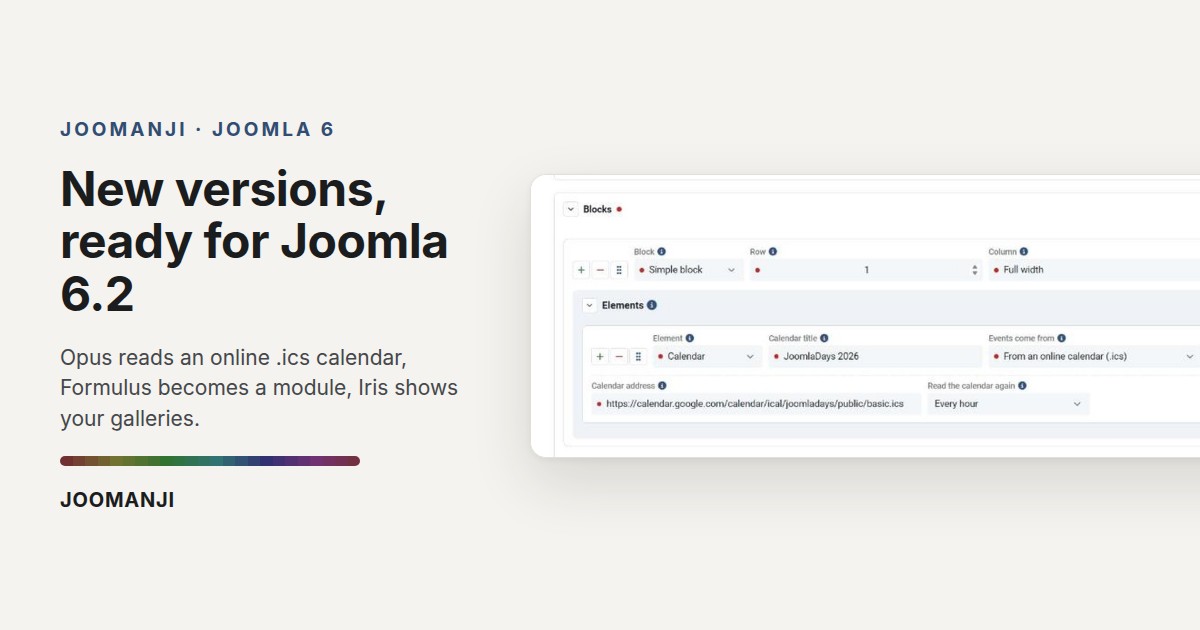
Three of our free components change version today, and the Joomla 6 extensions from Joomanji are ready for the core release of 13 October. Opus gains a calendar that reads an online feed, Formulus installs into a module position, and Iris gets image and document galleries. Here is what changes, product by product, and what it asks of you: nothing.
Opus: the calendar reads an online feed
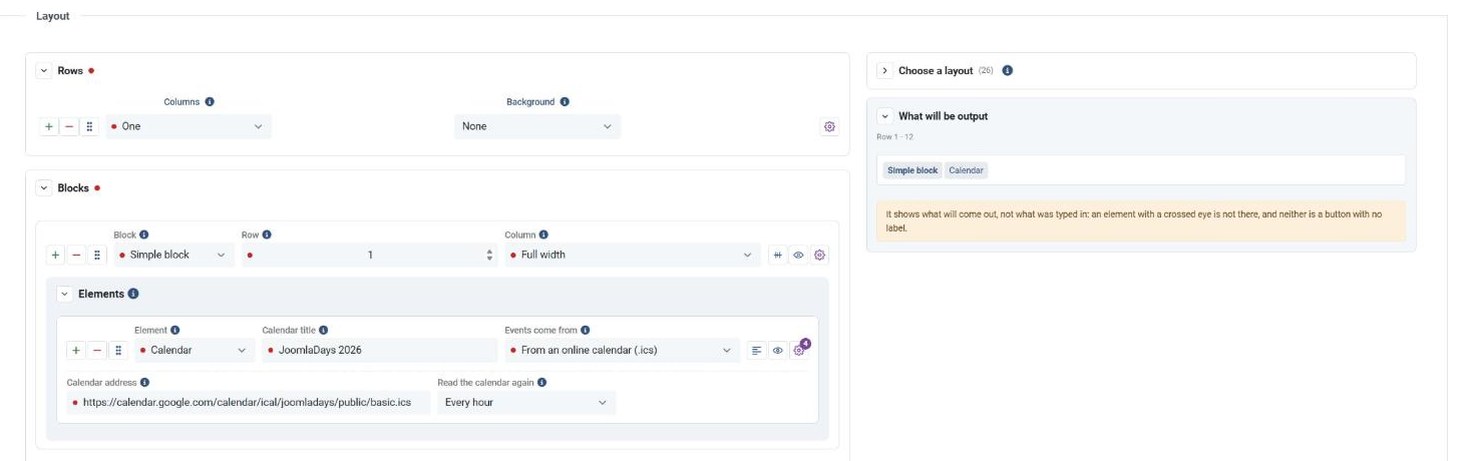
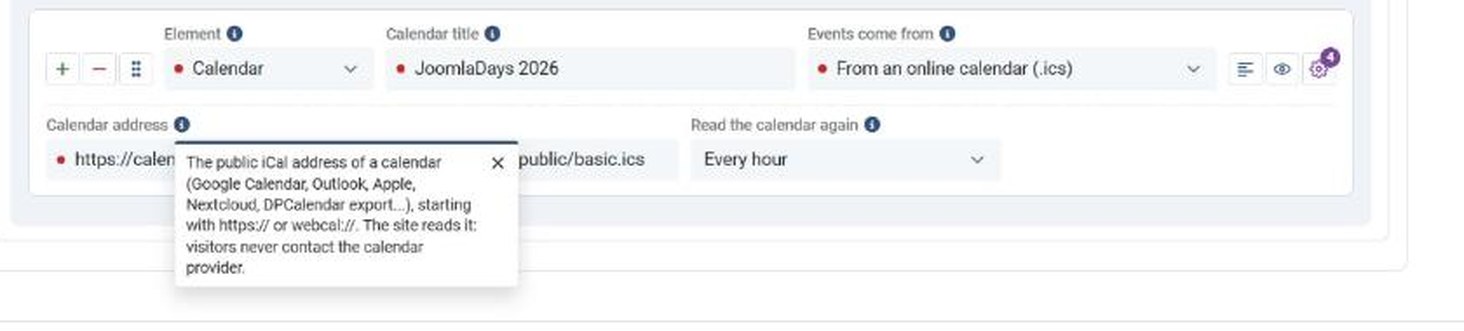
The Opus calendar could already take its events from a list typed by hand or from the articles of a category. It now accepts a third source: the address of an online calendar in .ics format, from Google Calendar, from Nextcloud, or from another extension. It came from a user who wanted to keep the calendar he already had. No key, no account, no dependency: Opus reads the file, understands repeated sessions, and keeps a cached copy on a delay you set, from fifteen minutes to twenty-four hours.
The calendar also gains two views, Day and Year, alongside the month and the list. As a result, the date on an event card becomes a button: one click, and that day opens with its sessions. In addition, the starting layout once called "Getting here" is now called "Map", like its element.
One fix along the way: an Opus module called inside an article with {loadmodule} thought Corpus was missing and lost its colours. It keeps them. Every setting is described in the Opus manual.
Formulus: a form in a module position
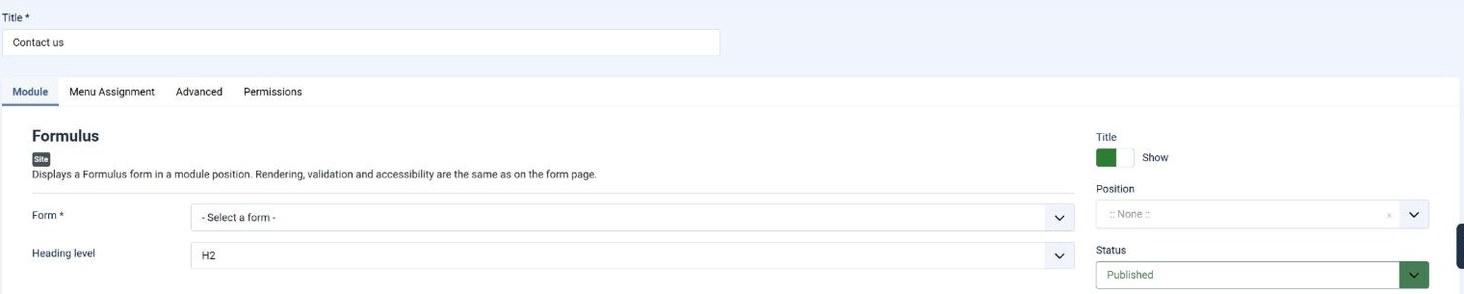
Until now, a Formulus form was shown through a menu item. The package now ships mod_formulus, a module that puts the same form in any position of your template. Two settings are enough: the form, and the level of its heading. The rendering is the component's own, therefore your template overrides apply in the module too, and an incomplete submission comes back on the page with its error summary and the focus placed on it.
Next, two pieces of user feedback are fixed. A Show the title setting finally lets you remove the form's title, which screen readers still read. And checkboxes stayed invisible on a dark background, because an input does not inherit the text colour: that is repaired. It is all written up in the Formulus manual.
Iris: image and document galleries
This is the big one of the week. Iris no longer just files your media away, it shows them: a gallery is built from a selection or from a folder, sorted into categories, and displayed through two kinds of menu item or through a module. Several layouts ship with it, among them a rows layout that mixes portrait and landscape photographs without cropping them. The viewer is a choice, classic or Iris.
A gallery also takes documents, shown as tiles or as a list, and a button hands the whole set over as a zip archive. Moreover, uploading now asks you first: you keep your own file names or you follow the naming pattern, and photographs are resized by the browser before they leave.
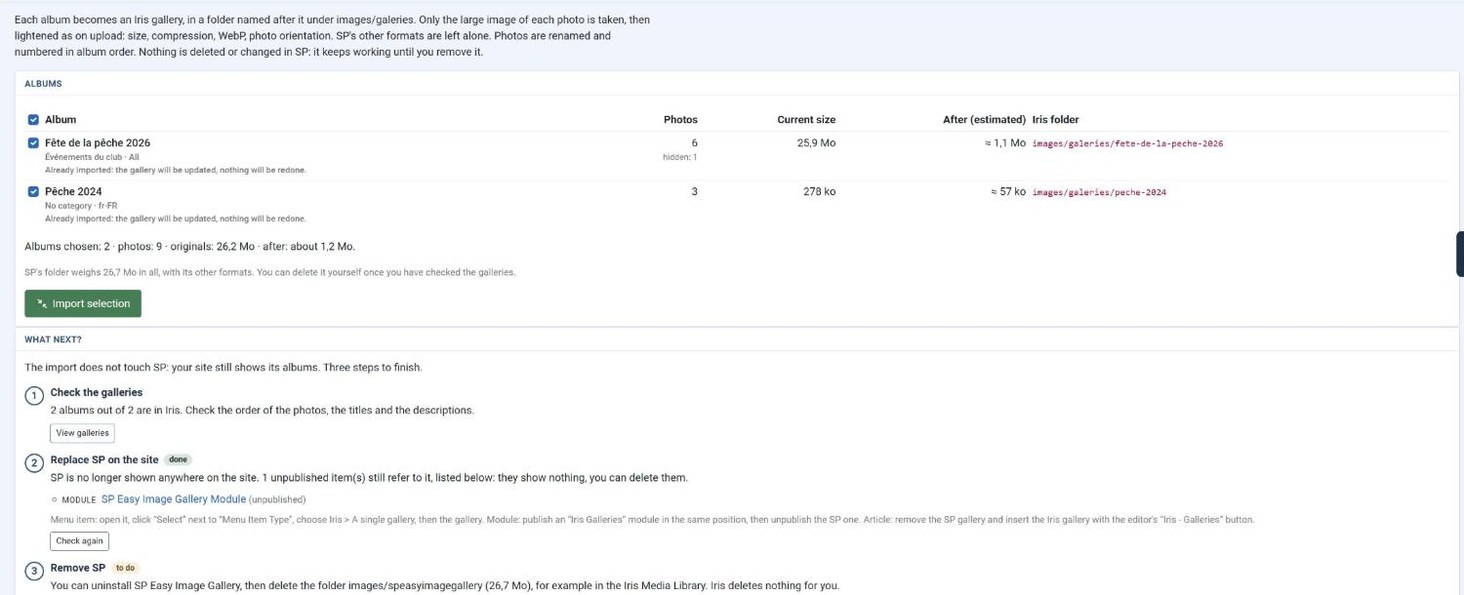
Finally, Iris can take over an SP Easy Image Gallery. It reads the albums, writes the originals into your media library, recreates the categories and the captions, then tells you where SP is still in use across your menus, your modules and your articles. It deletes nothing: you decide. The Iris manual has been up to date since this morning.
One administration across the three
The three components also changed where you work, in the administration. First, help bubbles no longer open on hover: a click on the "i" opens one, and a cross, the Escape key or a click elsewhere closes it, with the focus handed back to the button. That is WCAG rule 1.4.13, which asks that information appearing on hover can be dismissed without vanishing on its own. Then, every question asked before an irreversible action goes through the same window, and the button carries its real name, "Replace" or "Reset", instead of a "Yes" that teaches you nothing.
Finally, no colour is written by hand any more: they all come from Atum's own variables. In other words, dark mode and the hue of your administration are followed everywhere, these new bubbles included. This work is shared by the three products, and the others will follow in turn.
The Joomla 6 extensions are ready for 6.2
Joomla 6.2 is released on 13 October. The official page of changes from 6.1 to 6.2 lists no breaking change, and all our update feeds already accept "6.2". In other words, you will update Joomla without reinstalling anything of ours. Iris and Opus were in fact developed and measured this week on a release candidate of 6.2, not merely declared compatible. The Joomla 6 extensions from Joomanji are therefore Corpus, Astus, Opus, Formulus, Iris, Oculus and Tikus.
Good to know
- Today's versions are Opus 1.5.514, Formulus 1.0.413 and Iris 3.0.060.
- Opus, Formulus and Iris are free, with no limit on the number of sites. An account on joomanji.eu is all you need to download them.
- Joomla 6 requires PHP 8.3 at least, whichever extension you install.
- Updates arrive through Joomla's usual screen, System, Update, Extensions. Your settings, your galleries and your forms are kept.
The simplest thing is to try it. Open the demo, it runs on these very extensions: demo.joomanji.eu.